Blogs
How to Use PinURL to Create a Professional Facebook Link-in-Bio
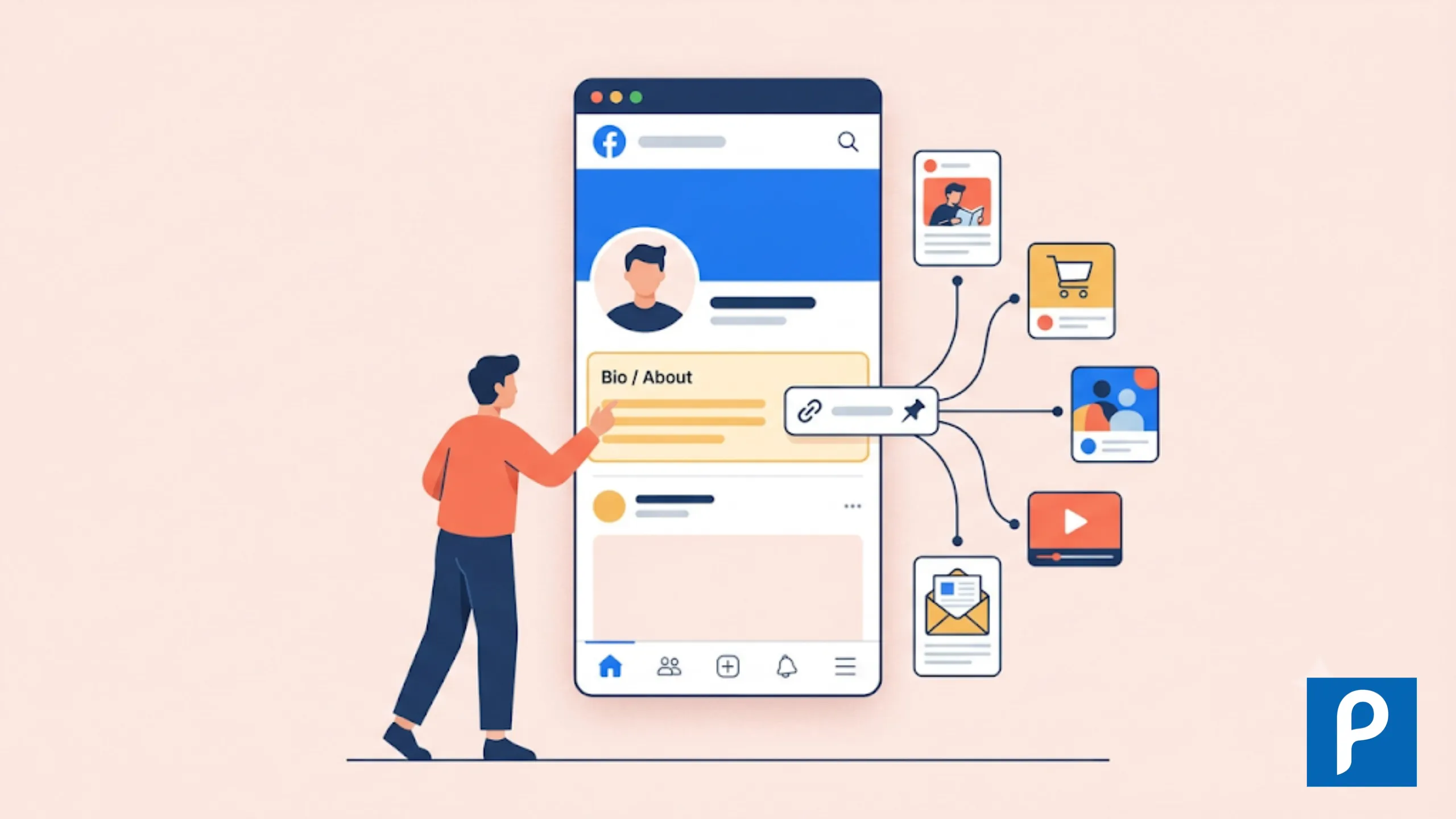
What is a Facebook Link-in-Bio? Explore our 60-second guide to professionalizing your profile and capturing deep analytics with PinURL’s link management.
"Revive" Your Fanpage from the "Ghost Town" Status: The Secret to Optimizing Your Facebook Bio with PinURL
Don’t believe the rumors that Facebook is "outdated" or only for older generations. With nearly 3 billion monthly active users, it remains a "blue ocean" of potential that any seller, agency, or freelancer yearns to tap into. However, the reality is that user behavior has become increasingly demanding and impatient. How many times have you poured money into ads or invested in amazing content, only to watch customers "drop off" at the very last gateway because they couldn't find a purchase link, or were repelled by a long, messy URL that looked like a suspicious scam?
To stop your Fanpage from becoming a "ghost town"—where people visit and leave in silence—you need a razor-sharp navigation strategy. This is where PinURL steps in to completely change the game.
Link-in-bio on Facebook: More Than Just Text, It’s a "Conversion Funnel"
The term "Link-in-bio" originated from the limitation of a single link on Instagram, but it has now become the gold standard for professional digital presence across all platforms. On Facebook, even though you aren't limited to the number of links you can add, cluttering your "About" section with dozens of URLs makes the interface messy, especially on small mobile screens.
Instead of forcing customers to "swim" through a sea of disorganized information, you only need one single PinURL. It acts as a sophisticated "brand representative," leading customers to a beautiful landing page (Microsite) where they can find everything from your Shopee store and latest product catalog to a direct Zalo chat button in just one tap.

The "Golden" values PinURL brings to your Bio:
- Aesthetics & Credibility: Instead of a 3-line link full of junk characters, PinURL gives you a "clean" and professional name like pinurl.to/YourShop.
- "Smart" Granular Analytics: You will know exactly what time customers clicked, whether they used an iPhone or Android, and most importantly, if they came from this morning's "trending" post or your page's intro.
- Flexible Management: Running a 2-hour Flash Sale? Just update the destination link in the PinURL system without having to manually edit your Facebook Bio settings.
Expert Insight: Don't Let Customers "Get Lost" at the Finish Line
Jillian Wallace, a social media strategy expert, asserts: "I’ve never believed the prejudice that Facebook is dead. It’s still the leading platform for real users and Remarketing capabilities. The mistake brands make is abandoning customers at the most critical 'touchpoint': The Bio."
Imagine you own a High-end Mattress store. You post a very persuasive review about a good night's sleep and place a Bio link leading to your website's homepage. Curious customers click, but your homepage displays hundreds of products from pillows and blankets to bedsheets... They feel confused because they can't find the specific mattress from the review and exit immediately. You lose a potential customer just because of poor navigation.
The Breakthrough Solution with PinURL:
You create a Link-in-bio page via PinURL. When customers click the link on your Facebook Bio, they see intuitive buttons immediately:
- [Buy the Mattress from the Review - 10% OFF]
- [Get Hardness/Softness Advice via Messenger]
- [Find the Nearest Store to You]
Everything is personalized and guided. Your conversion rate from "viewer" to "buyer" will grow exponentially!
60-Second Guide to Adding PinURL "Eyes" to Your Facebook
Whether you are managing a Business Fanpage or a Personal Profile, optimizing your professional interface takes only a few simple steps:
1. On Mobile (Facebook App):
- Go to your Profile or Fanpage -> Select Edit Public Details.
- Scroll to the bottom to find the Links section -> Tap Add.
- In the Website section, paste the PinURL link you designed (e.g., pinurl.to/HuongsBio).
- Tap Save and return to your home screen to see the professional difference.
2. On Desktop (Web Browser):
- Access the About tab -> Contact and basic info.
- Under Websites and social links, click the pencil icon to edit.
- Add your PinURL link. Here, you should also link your Instagram, TikTok, or YouTube accounts to create a comprehensive brand "matrix" across platforms.
"Data Mastery" Tactics from Marketing Pros
To ensure your Bio link isn't just for "show" but actually generates revenue, apply these Best Practices from the PinURL team:
- Powerful Call-to-Action (CTA): Don't leave the link sitting alone. Use commands that spark action like: "Claim your 50k discount here 👇" or "See the secret to perfect skin in 7 days".
- Purposeful Emojis: Use icons like 🔗, 👇, or 🎁 to guide the user's eyes directly to the link location.
- Periodic Audits: An outdated Bio link is worse than no link at all. Use your PinURL Dashboard to check: If a link hasn't received a click in a month, be bold and replace it with more engaging content.
- Branded Vanity URLs: Trust is the survival factor on Facebook. Customers are much more willing to click a link containing your brand name (pinurl.to/YourBrand) than anonymous, risky-looking short links.
PinURL – Partnering for Sustainable Growth
In the world of modern marketing, data is the "lifeblood" of a business. PinURL is more than just a link shortener; we provide the "key" to unlocking customer understanding. You will know what they like, where they come from, and what they expect from you.
When you master the metrics from PinURL, you will no longer have to burn ad money blindly. Instead, you will invest in what truly works.
Start optimizing your Facebook Bio with PinURL today – Turn every small visit into a massive business opportunity!